
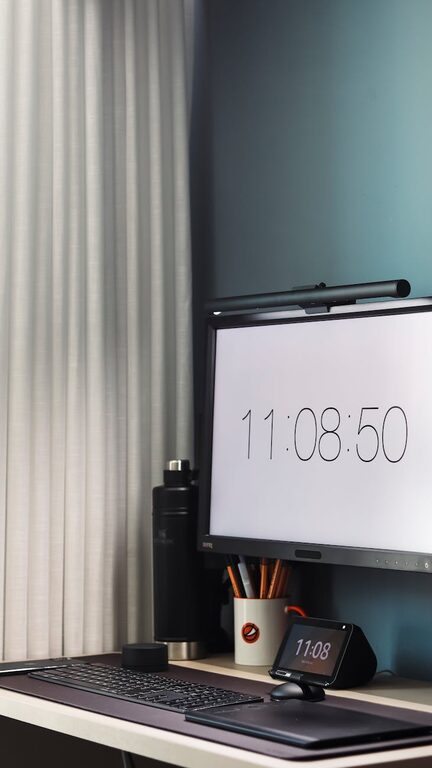
Creating an efficient and comfortable home office is essential in today’s world, where many of us spend hours working from home. A well-organised space can enhance your focus, reduce stress, and make your workday more enjoyable. Whether you have a dedicated room or a small corner in your living space, the following tips will help you set up a home office that supports productivity and comfort.
1. Choose the Right Location
Selecting the right spot for your home office is the first step towards effective organisation. Ideally, find a quiet area with minimal distractions. Natural light is a great benefit—it can improve mood and reduce eye strain, so position your desk near a window if possible. If natural light is limited, invest in good quality, adjustable lighting.
2. Invest in Ergonomic Furniture
Comfort plays a big role in productivity. An ergonomic chair that supports your back and promotes good posture can prevent discomfort and long-term health issues. Your desk should be at a height where your forearms are parallel to the floor when typing. Consider adjustable desks that allow standing and sitting throughout the day to keep you active.
3. Declutter Your Workspace
A cluttered desk can cause distractions and reduce efficiency. Start by sorting through what you have on your desk and in nearby storage. Keep only the essentials within reach. Use trays or organisers for stationery, files, and important documents. Label storage boxes or drawers to find items quickly and prevent mess from building up again.
4. Use Smart Storage Solutions
Maximise your office space with practical storage options. Shelving units, filing cabinets, and wall-mounted organisers can keep your materials tidy and accessible without taking up too much room. Vertical storage is particularly helpful in small spaces. Utilise desk drawers with compartments to separate small items like pens, chargers, and paper clips.
5. Manage Cables and Electronics
Messy cables can create visual clutter and make your workspace feel chaotic. Use cable clips, sleeves, or ties to bundle and secure wires. Label chargers and cords to avoid confusion. Also, consider wireless accessories like keyboards and mice to reduce cable clutter. Keep electronics like printers or scanners nearby but out of your main work zone if possible.
6. Personalise Your Space Mindfully
Adding personal touches can make your home office inviting and motivate you to work. However, avoid overcrowding your desk with too many decorations. A few framed photos, a plant, or artwork can lift the mood and improve air quality. Choose items that inspire positivity and calmness without causing distractions.
7. Optimise Lighting for Comfort and Productivity
Inadequate lighting can lead to eye strain and headaches. Use a combination of natural light, overhead lights, and desk lamps with adjustable brightness. Position your light sources so they do not create glare on your screen or cast shadows on your work area. Soft, warm lighting is preferable for comfort, but brighter, cooler light can help with alertness during focused work.
8. Establish Zones for Different Tasks
If space allows, organise your home office into zones for different activities like computer work, reading, and meetings. For example, keep your desk clear for computer tasks, use a nearby table or shelf for paperwork, and create a small seating area for phone calls or brainstorming. Zoning helps you mentally switch between tasks and keeps your workspace organised.
9. Maintain Cleanliness and Refresh Regularly
Regularly cleaning your home office is important for comfort and hygiene. Wipe surfaces, keyboards, and screens to keep dust and germs at bay. Take a few minutes at the end of each day to tidy your desk and put things in their designated places. Periodically review your setup to remove items that you no longer need or use.
10. Incorporate Technology for Efficiency
Technology can greatly enhance productivity if used thoughtfully. Utilise apps and software for task management, note-taking, and scheduling. Set up multiple monitors if your work requires it to reduce the need for switching between tabs. Use noise-cancelling headphones or background music to help concentration in noisy environments.
—
Creating an organised home office is about finding the right balance between functionality and comfort. By following these tips, you can design a workspace that not only boosts your productivity but also makes your workday more pleasant. Remember, the key is to keep your environment clear, comfortable, and personalised in a way that supports your working style. With a little effort and thought, your home office can become a place where you feel motivated and ready to tackle your tasks efficiently.